


Our Newest Budgeting Feature: Category Groups


Here at Origin, we’re always dreaming up ways we can make our platform work better for our members, and we just rolled out a new way to organize and further customize your budget: subcategories. In other words, you can now group your spending categories under a broader umbrella — for example, slotting your grocery, restaurant, and meal kit budget items under one larger “food” category.
This was one of the features you most frequently requested — here’s just a sample of what we heard from you:
- “I want to be able to group together my categories to understand a higher level cut of my spending.”
- “I’d like dog food, vet bills, pet insurance, training to all be separate budgets under one pets category, to be able to see separate amounts as well as category total.”
- “Would love a larger category for travel, with smaller subcategories for flights, hotels, and activities”
Here’s what you can do with category groups now
- Decide which categories fall into what groups.
- Edit the name, color, and categories of a group.
- View your expenses, income, and transfers by group on the breakdown page by toggling "view by group."
- View your reports by group by toggling "view by group."
How to create and edit category groups
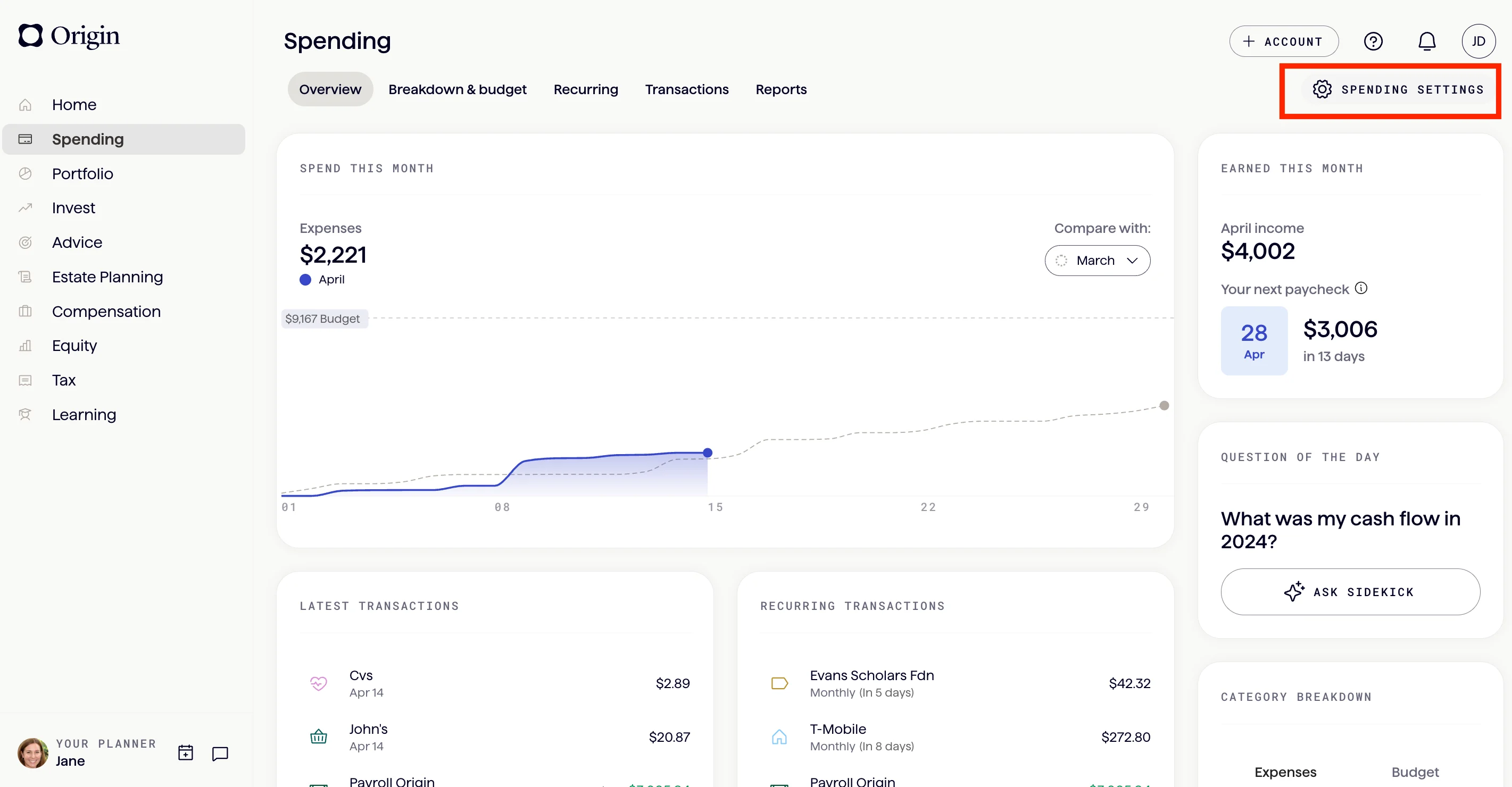
Go to “spending settings” in the top right corner of your spending tab.
Select “manage categories” to view, create, and edit groups and categories.
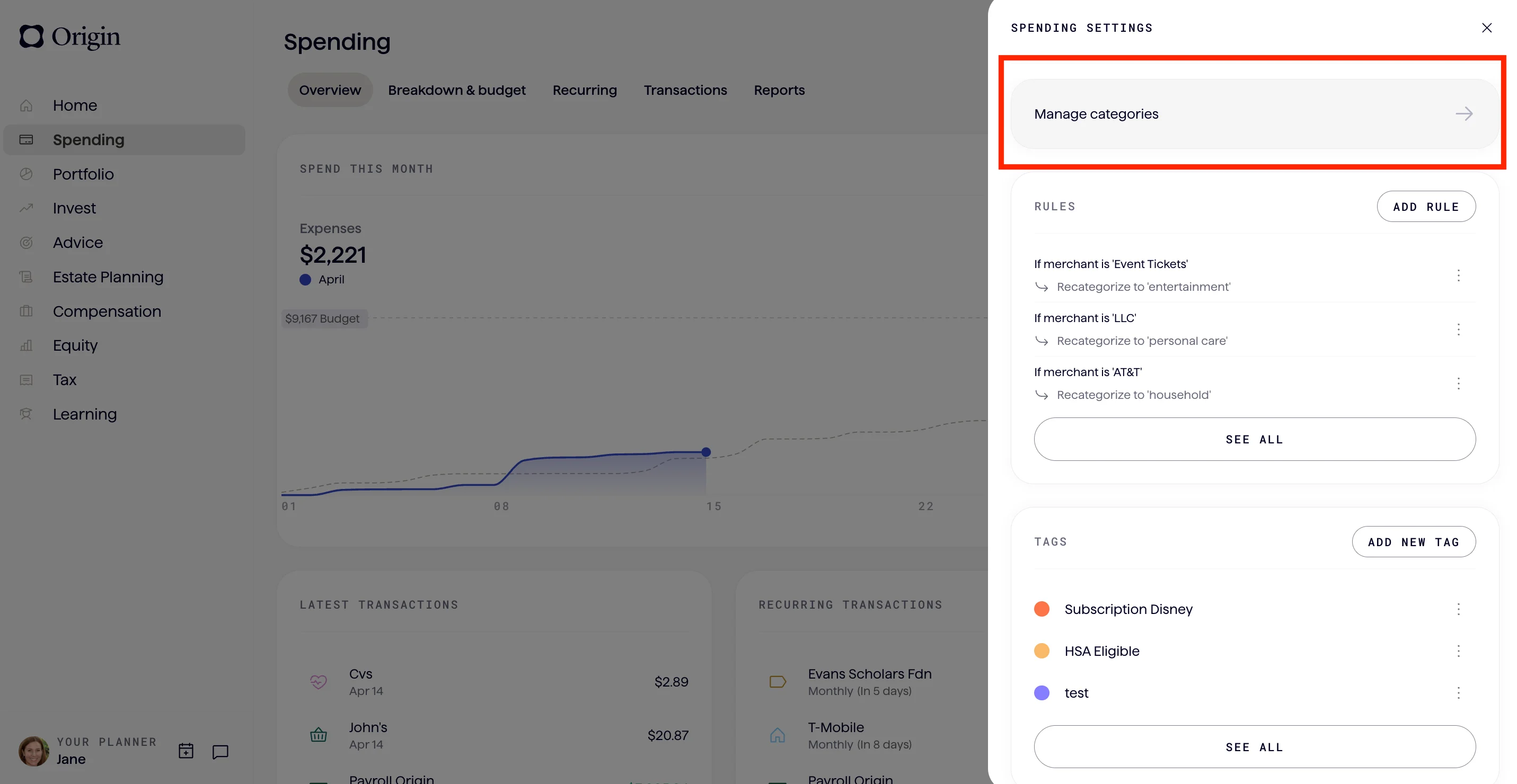
You can also access your categories throughout the budget dashboard wherever you see a “manage categories” button.
How to view your category groups in your budget
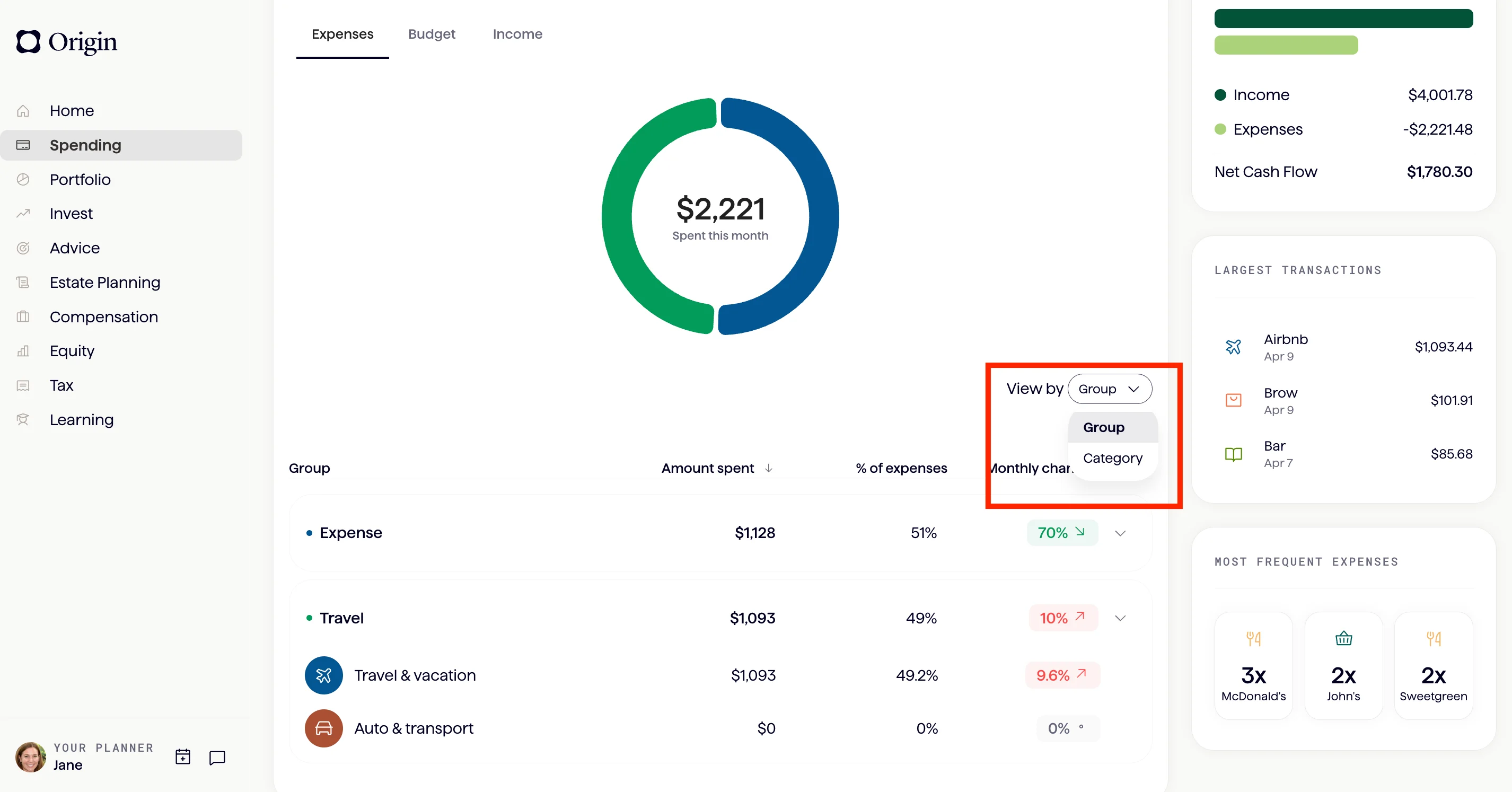
To see your budget breakdown by groups instead of individual categories, simply navigate to your “Breakdown & budget” tap within the spending tab. Click “View by Group” instead of “View by Category” to see what percent of your overall budget is going to each group.
Some inspiration…
This all sounds nice, but how can you make groups really work for you and your lifestyle? To help illustrate how groups can work in practice, we’ve outlined some groupings you can build into your own budget.
🗂️ For the categorizerGoal: Group similar types of spending to understand where money goes.
- Food & Drink – coffee, groceries, dining out, bars
- Home & Utilities – rent, internet, electricity, water
- Transportation – public transit, gas, car maintenance
- Lifestyle – shopping, gym, entertainment, travel
💸 For the classic budgeterGoal: Track needs vs. wants by splitting into fixed and variable costs.
- Fixed Expenses – tent, utilities, subscriptions, insurance
- Variable Expenses – dining out, shopping, travel, groceries
🧠 For the mindful spenderGoal: Group based on how spending feels — not what it technically is.
- Joy – dining out, concerts, travel, gifts
- Personal Development – therapy, education, books, gym
- Security – rent, insurance, emergency fund
- Routine – groceries, utilities, subscriptions
📈 To understand your incomeGoal: Separate different types of income to see how you’re building wealth.
- Primary Income – salary, bonus
- Secondary Income – dividends, interest, side hustles
- Refunds – returns, cash back
🧳 For the gig worker / freelancerGoal: Keep personal and business finances clearly separated.
- Personal Expenses – rent, groceries, subscriptions, dining out
- Business Expenses – software, equipment, advertising, coworking space fees
- Business Income – client payments, freelance projects, platform payouts
- Personal Income – paycheck, dividends
We can’t wait to see what groups you create!
Still need to build your personalized view?
Answers to your questions
Yes. Origin offers partner access so you can manage your finances together at no additional cost. You’ll be able to filter transactions by member—making it easy to see which spending is yours and which belongs to your partner.

Yes. You can edit existing transactions and add new ones directly in Origin, so your records stay accurate and personalized.
Origin connects securely through trusted partners including Plaid, MX, and Mastercard.
Yes. Origin supports CSV uploads. You can upload a .csv file of your transactions, and we’ll import them into your account.
Yes. Your data is protected with bank-level security and advanced encryption. When you connect accounts through Origin, your login credentials are never shared with us. Instead, our partners generate secure tokens that let Origin access only the data you authorize—keeping your personal information private while enabling personalized insights.
Yes. You have full control to organize your spending in Origin. Transactions are automatically categorized by Origin, but you can always edit categories, add your own tags, and filter transactions however you like—so your spending reflects the way you actually manage money.